Lifecycle Feeds - Analysis and Preparation
Introduction
This guide is designed to help you to obtain the most current End-of-Life (EoX) dates from each manufacturer, enabling accurate data feed analysis within the Lifecycle Analysis of Netos Insights.
Please refer to the Lifecycle (EoX) Data Feed Guide guide...
Feeds
Meraki
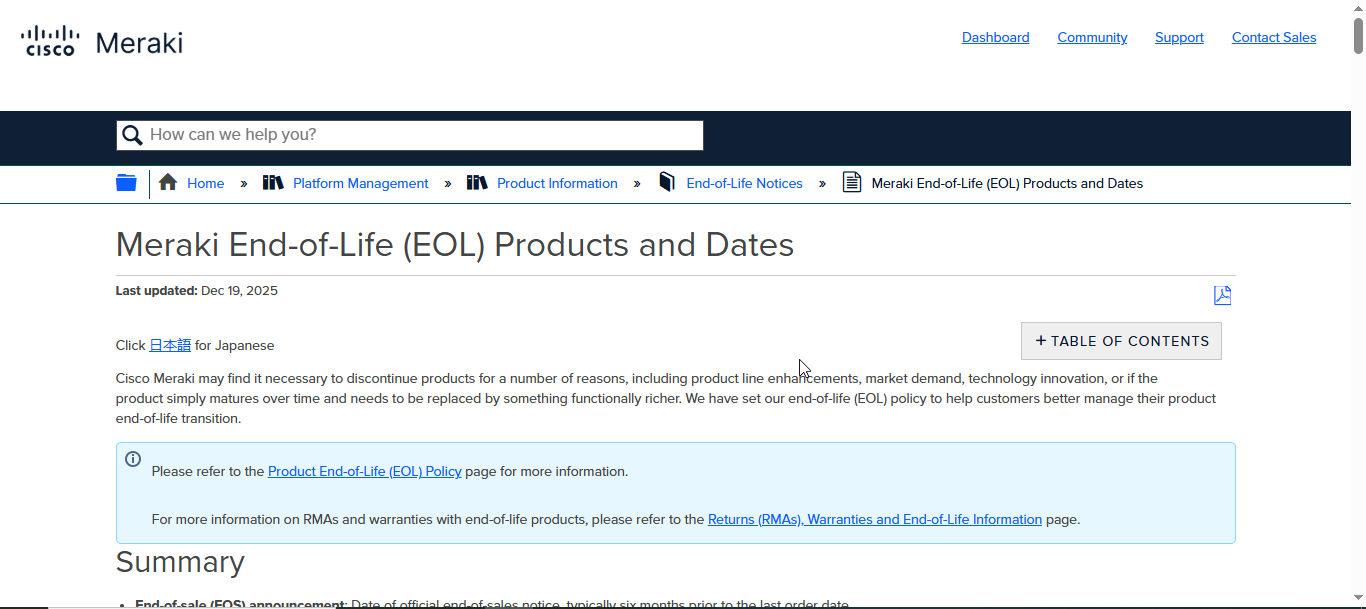
Meraki provides End-of-Life (EoX) dates in a standardized format and consolidated into a single downloadable PDF document.
Process
Herewith the step-by-step process:
| No | Description | Appearance |
| 1 | Go to here: https://documentation.meraki.com/Platform_Management/Product_Information/End-of-Life_Notices/Meraki_End-of-Life_%28EOL%29_Products_and_Dates |
|
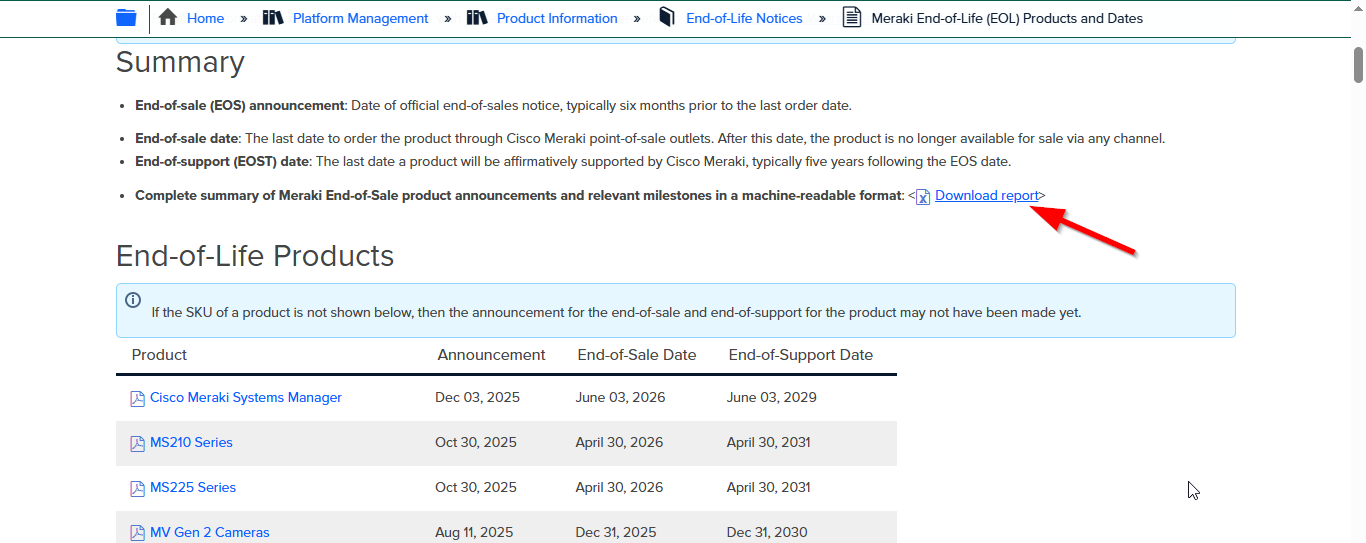
| 2 | No account creation or login is required. Simply navigate to the page and click "Download report" button (as shown with red arrow). |
|
| 3 | Use "Power Query" menu in Excel and key parameter is "Split at right-most delimiter" up to the 6th column to get the EoX dates report of each product item | |
| 4 | Prepare a formula in Excel to convert date format from US version to UK version |
Constraints
Herewith some constraints:
- When preparing the Excel-based EoX dates report, it is recommended to use Power Query rather than the Text to Columns function. This approach ensures greater accuracy, as product names may contain comma delimiters that can lead to incorrect data parsing.
- The date format in the PDF document follows the U.S. standard (MM/DD/YYYY) and must be converted to the U.K. format (DD/MM/YYYY) for consistency and accuracy.
Fortinet
Meraki provides End-of-Life (EoX) dates in a standardized format and consolidated into a single downloadable PDF document.
Process
Herewith the step-by-step process:
| No | Description | Appearance |
| 1 | Go to here: https://support.fortinet.com/support/#/lifecycle |
|
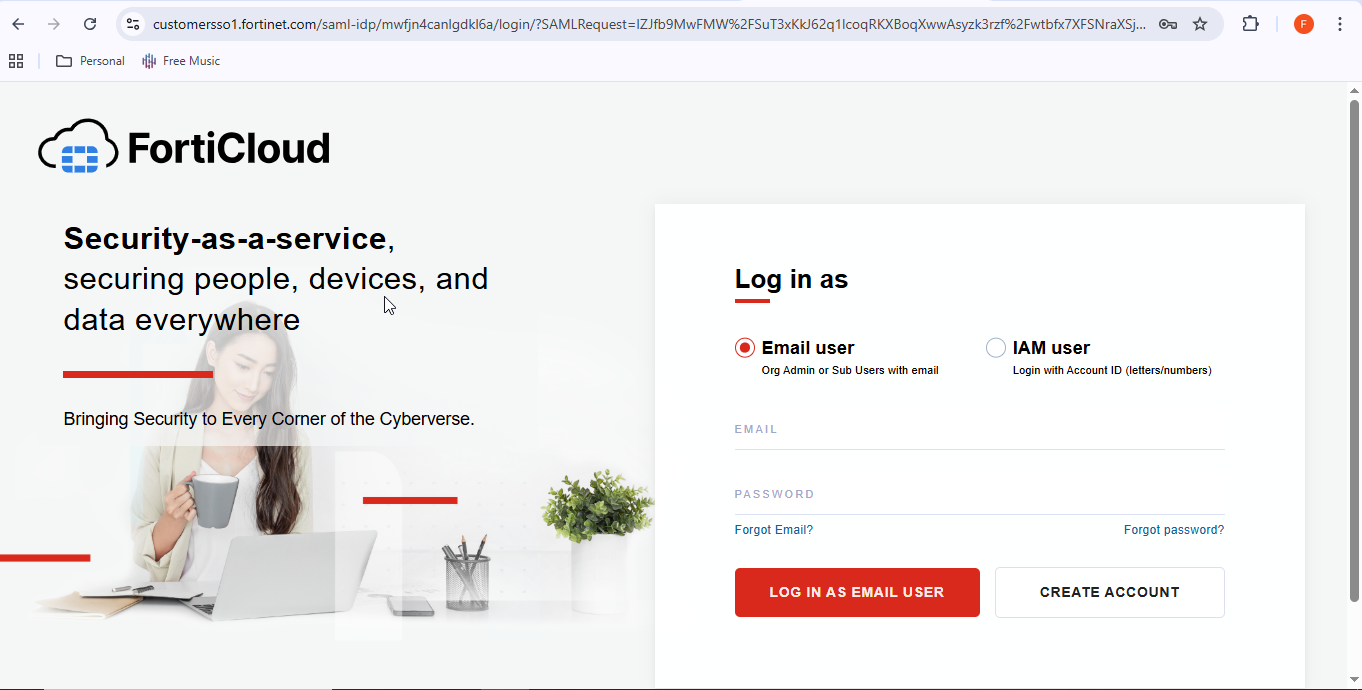
| 2 | If you do not already have a Fortinet account, please create one using your Netos email address |
|
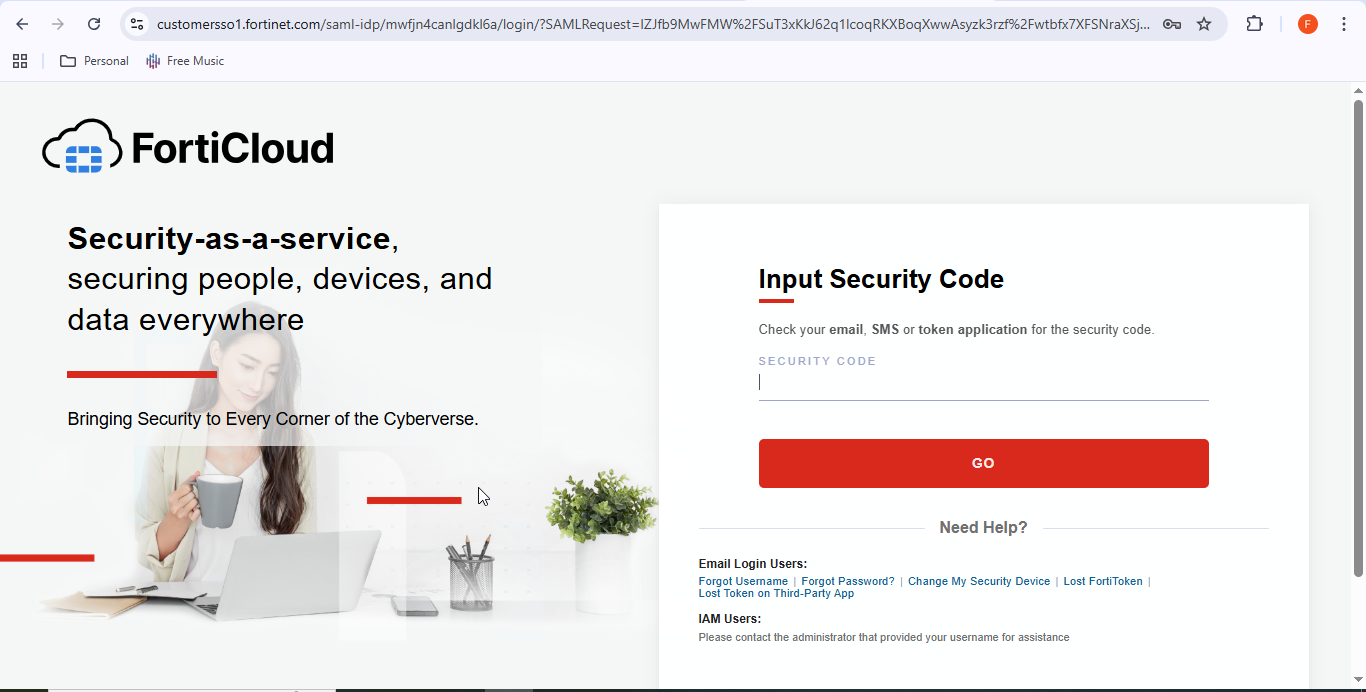
| 3 | You will be asked to input the token code as sent to your email address |
|
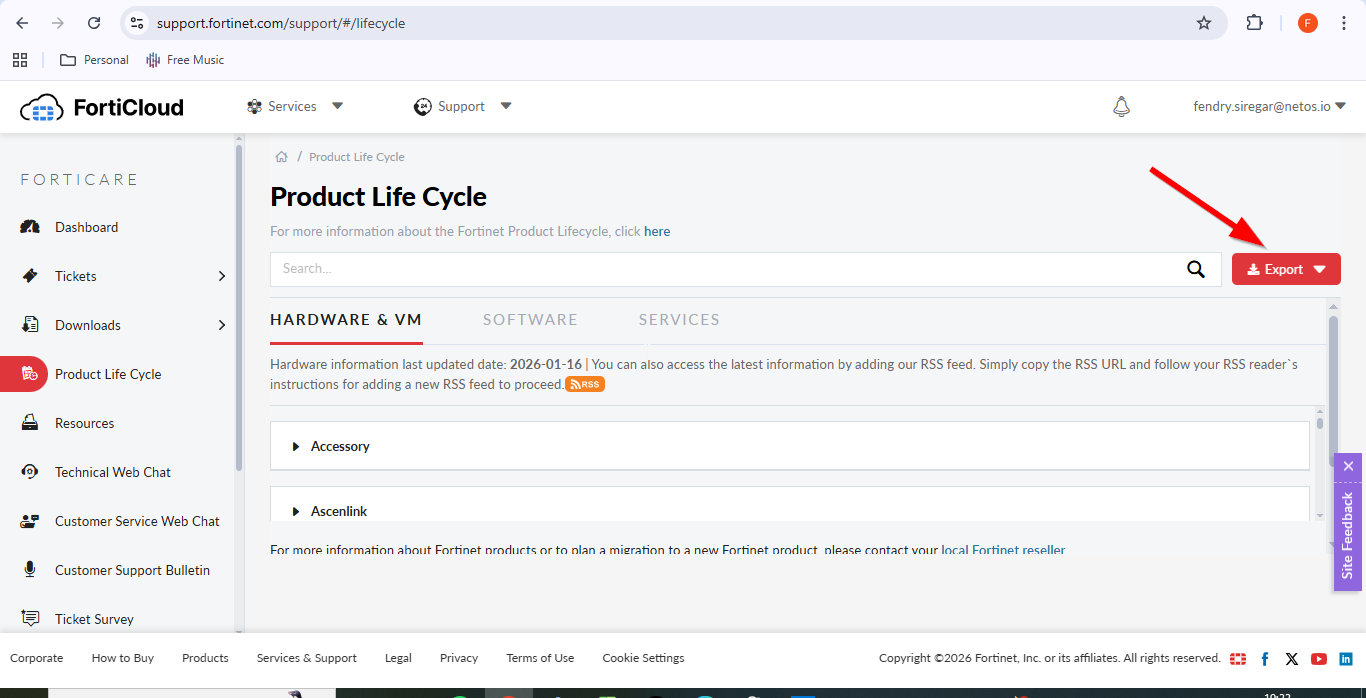
| 4 | Click "Export" red button on the top right and choose Excel file (as shown with red arrow) |
|
| 5 | Use Excel’s Text to Columns feature to extract the EoX dates report for each product item | |
| 6 | Prepare a formula in Excel to convert date format from US version to UK version |
Constraints
Herewith the constraint:
- The date format in the PDF document follows the U.S. standard (MM/DD/YYYY) and must be converted to the U.K. format (DD/MM/YYYY) for consistency and accuracy.
Dell
Dell provides End-of-Life (EoX) dates in a standardized format and consolidated into a single downloadable XLS document.
Process
Herewith the step-by-step process:
| No | Description | Appearance |
| 1 | Go to here: https://www.dell.com/support/kbdoc/en-id/000185734/all-dell-emc-end-of-life-documents |
|
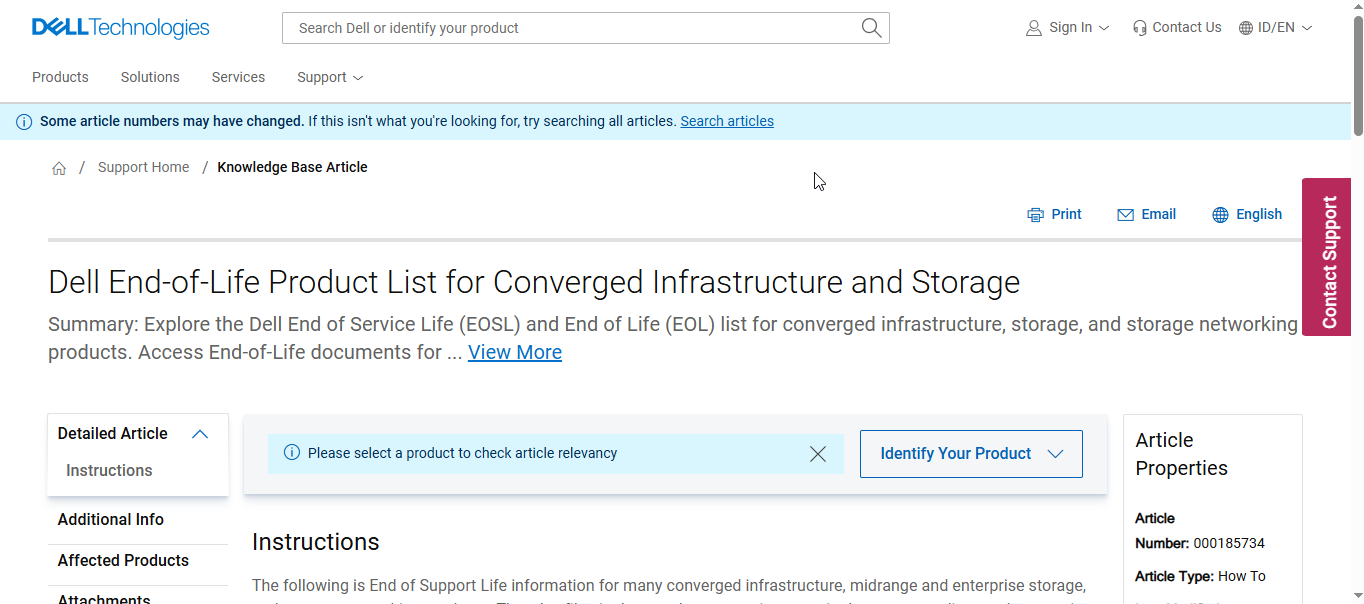
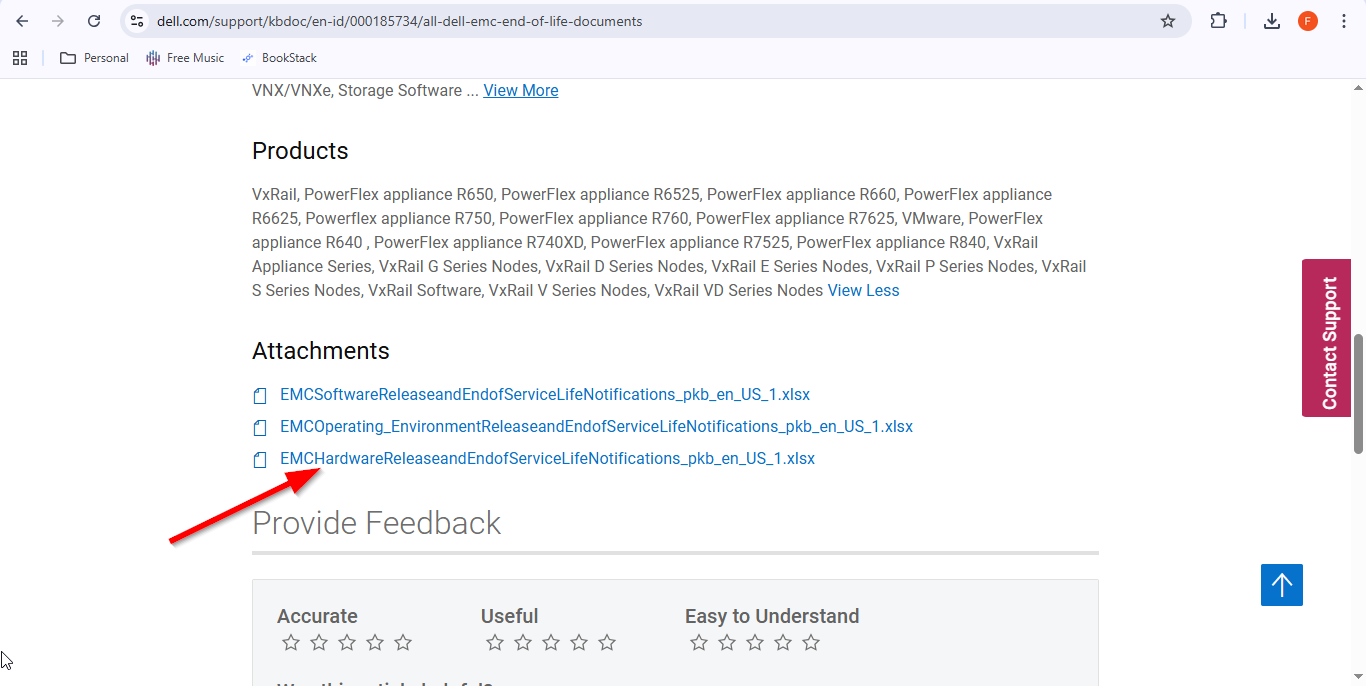
| 2 | No account creation or login is required. Simply navigate to the page below and download the XLS file with ‘hardware’ in the file name to obtain the latest EoX dates (as shown with red arrow). |
|
| 3 | Prepare a formula in Excel to convert textual date format to UK version |
Constraints
Herewith the constraint:
- The date format in the XLS document is presented in a textual format (for example, September 26, 2023) and must be converted to the U.K. standard (DD/MM/YYYY) to ensure consistency and accuracy.
OpenGear
OpenGear does not provide End-of-Life (EoX) dates in a downloadable document. Instead, the information is available as a summary on their website and must be manually extracted.
Process
Herewith the step-by-step process:
| No | Description | Appearance |
| 1 | Go to here: https://opengear.com/end-life-products |
|
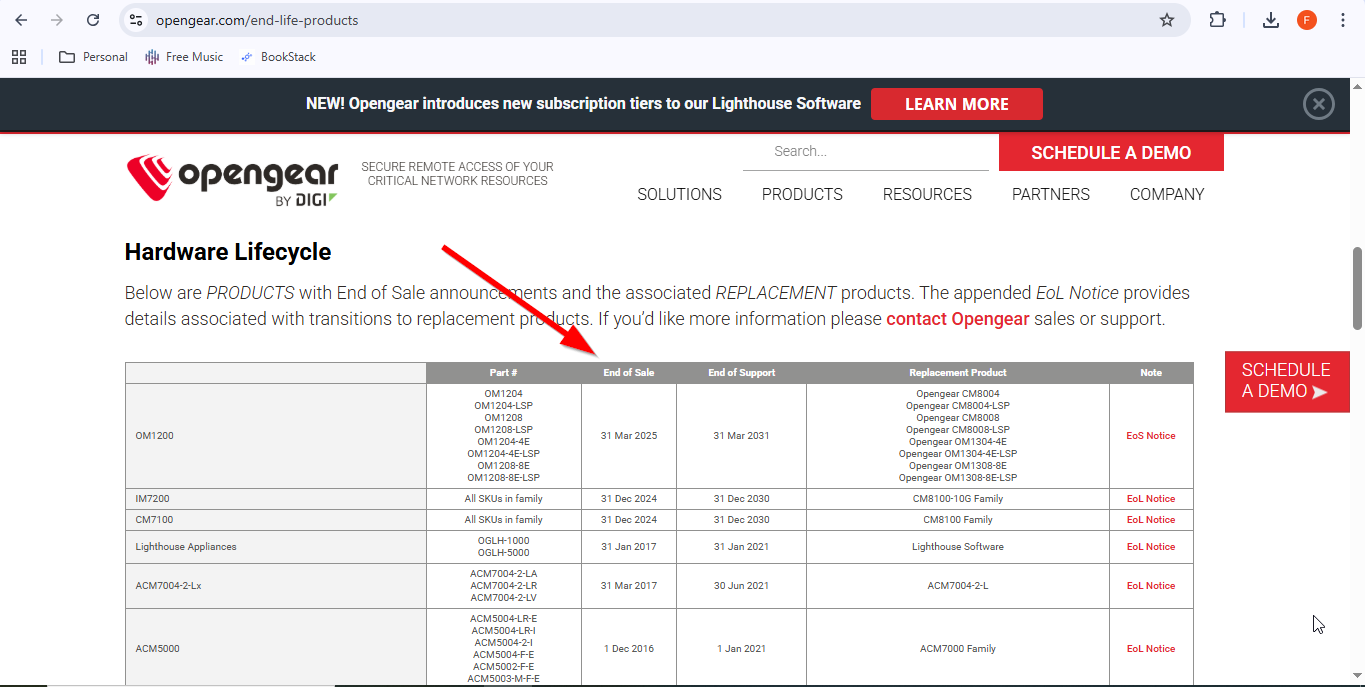
| 2 | No account creation or login is required. Please navigate to the page below and manually copy the table within the Hardware Lifecycle section (as shown by the red arrow). |
|
| 3 | Prepare a formula in Excel to convert textual date format to UK version |
Constraints
Herewith some constraints:
- For any merged part number group with a single End-of-Life (EoX) date, the EoX date must be manually assigned to each individual part number in order to finalize EoX dates report.
- The date format in the web page is presented in a textual format (for example, 31 Mar 2025) and must be converted to the U.K. standard (DD/MM/YYYY) to ensure consistency and accuracy.
Palo Alto
Palo Alto does not provide End-of-Life (EoX) dates in a downloadable document. Instead, the information is available as a summary on their website and must be manually extracted.
Process
Herewith the step-by-step process:
| No | Description | Appearance |
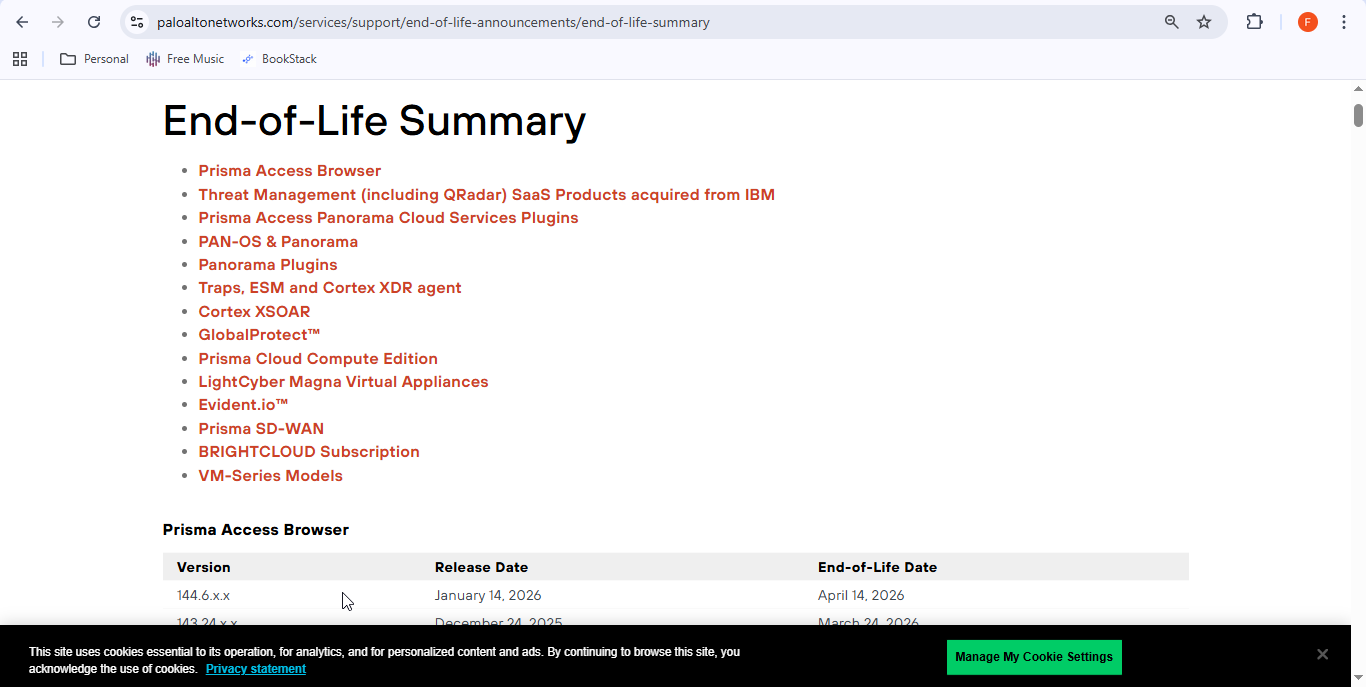
| 1 | Go to here: https://www.paloaltonetworks.com/services/support/end-of-life-announcements/end-of-life-summary |
|
| 2 | No account creation or login is required. Simply navigate to the page below and manually copy the table . |
|
| 3 | Prepare a formula in Excel to convert textual date format to UK version |
Constraints
Herewith some constraints:
- The date format in the web page is presented in a textual format (for example, April 14, 2026) and must be converted to the U.K. standard (DD/MM/YYYY) to ensure consistency and accuracy.
F5
F5 does not provide End-of-Life (EoX) dates in a downloadable document. Instead, the information is available as a summary on their website and must be manually extracted.
Process
Herewith the step-by-step process:
| No | Description | Appearance |
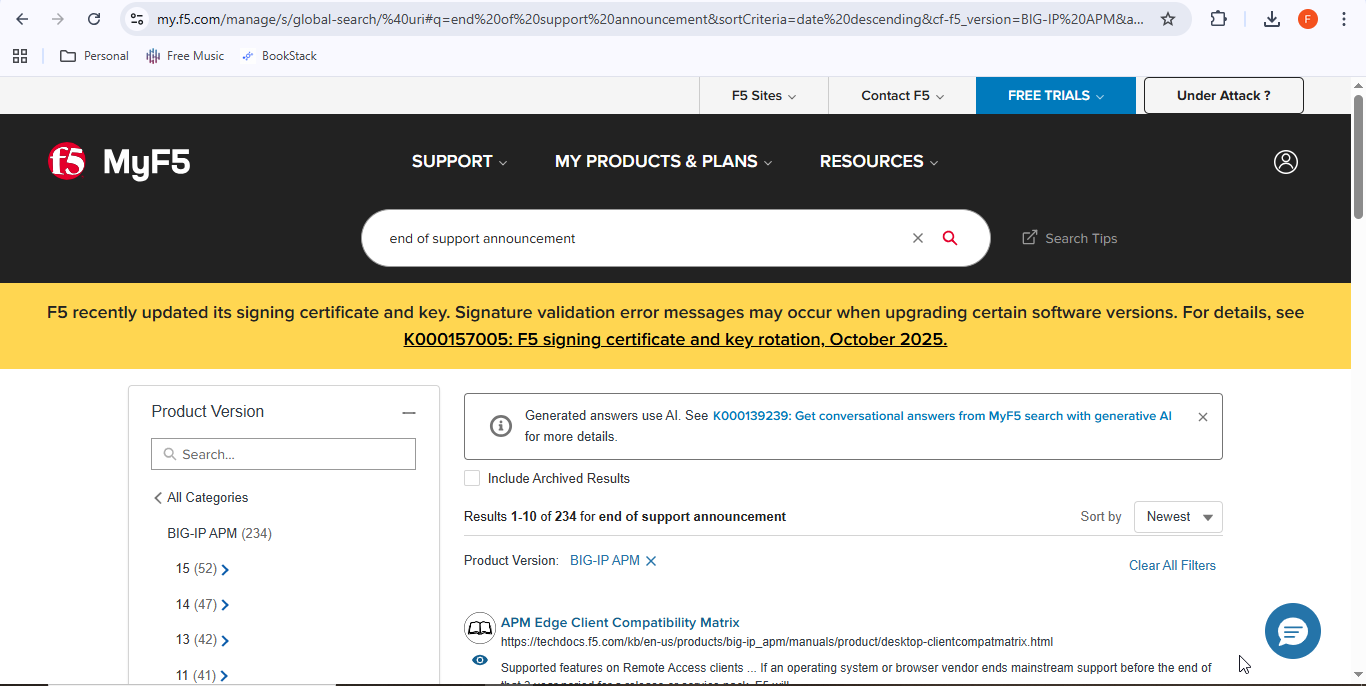
| 1 | Go to here: https://my.f5.com/manage |
|
| 2 | No registration or login is required. Key in the product ID in the search field to retrieve and manually copy the End-of-Life (EoX) date details. |
|
| 3 | Prepare a formula in Excel to convert textual date format to UK version |
Constraints
Herewith some constraints:
- The date format in the web page is presented in a textual format (for example, 1 October 2019) and must be converted to the U.K. standard (DD/MM/YYYY) to ensure consistency and accuracy.